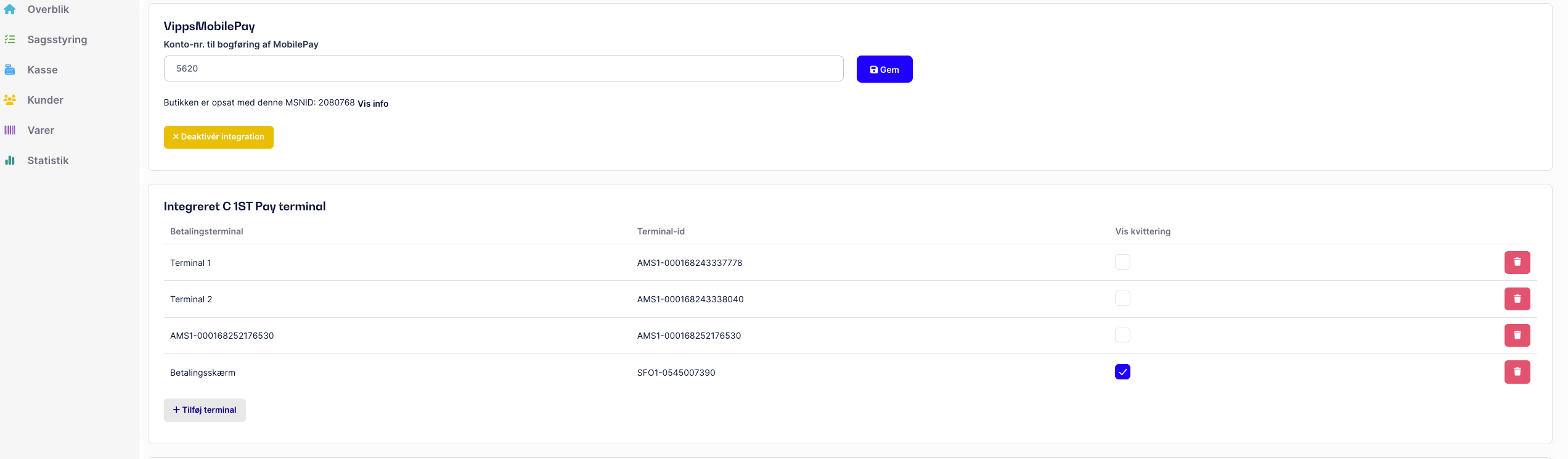
To display the receipt on your C 1ST pay Engage payment terminal, the feature needs to be enabled in the settings for the relevant POS unit.
Follow the steps below:
Go to Settings
Select the POS tab
Scroll down to the Integrated C 1ST Pay terminal section
Find the terminal/POS unit where the receipt should be displayed
Tick "Show receipt"
Click Save
⚠ Note:
The setting must be enabled on the specific POS device, where you want to show the receipt on the screen. If you have multiple registers, this must be done individually on each device.
When this is enabled, the receipt will automatically be shown on the screen after the payment is completed.
If you still have questions, you're always welcome to contact support.