
The system can automatically add items to the shopping list when an item has a min and max value set.
1. First, set some Min and Max values on your items:
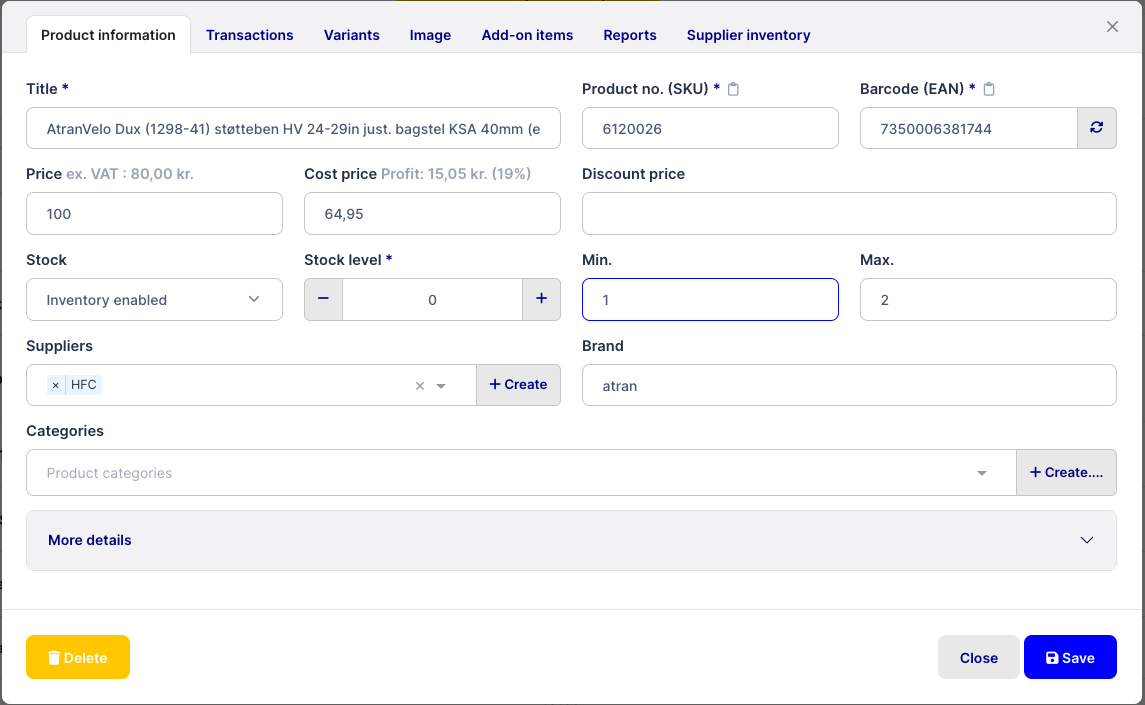
Go to Settings → Items → Set automatic ordering.
Check “Automatically add items to the shopping list”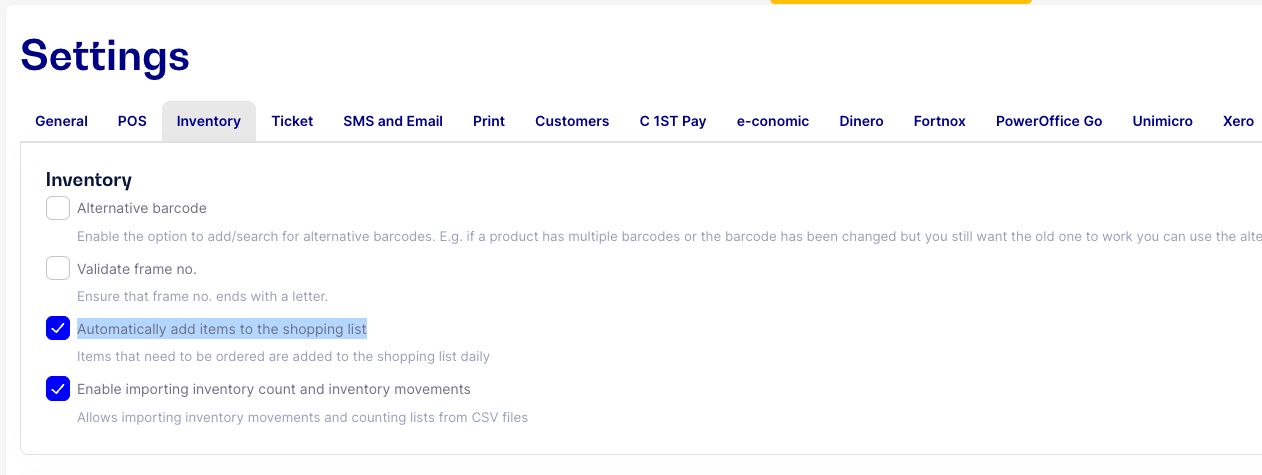
Items that have gone below min are now automatically added to the daily shopping list.