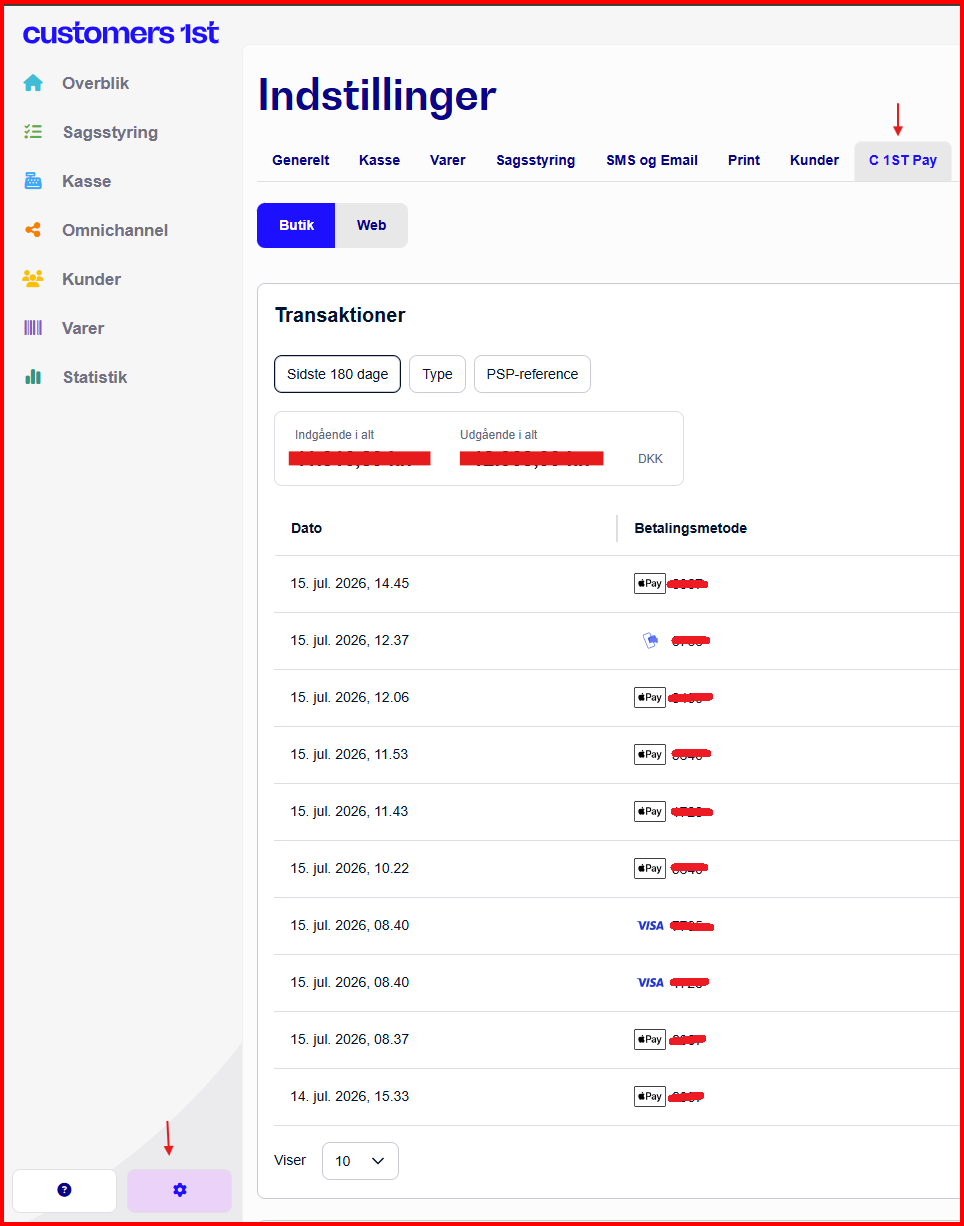
Click on the gear icon in the bottom left
Click on C1st Pay
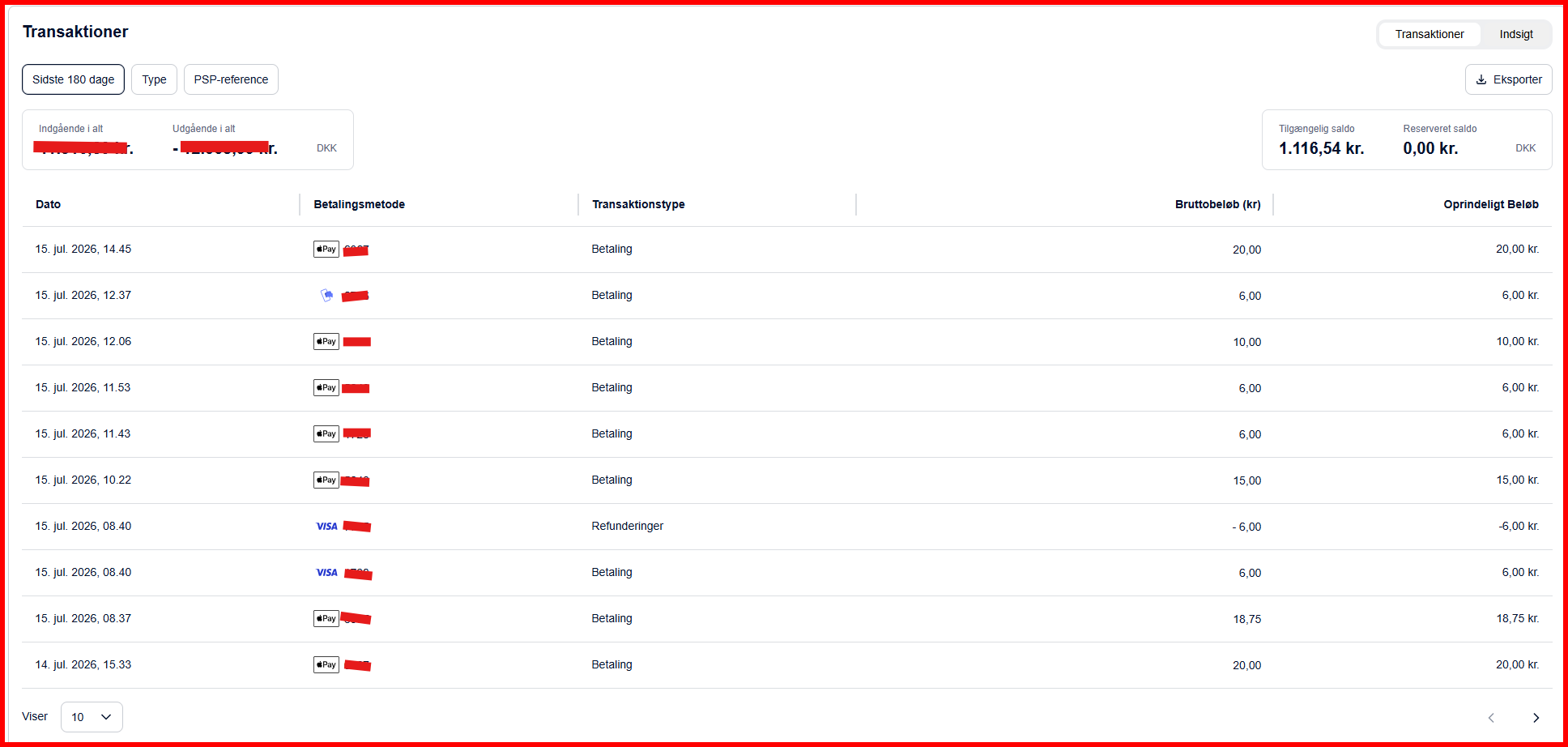
The Transactions section displays a comprehensive list of your recent payment activities. Here you can see details such as transaction date, payment method, transaction type, and associated amounts. Here you will also be able to see if a payout has been made.
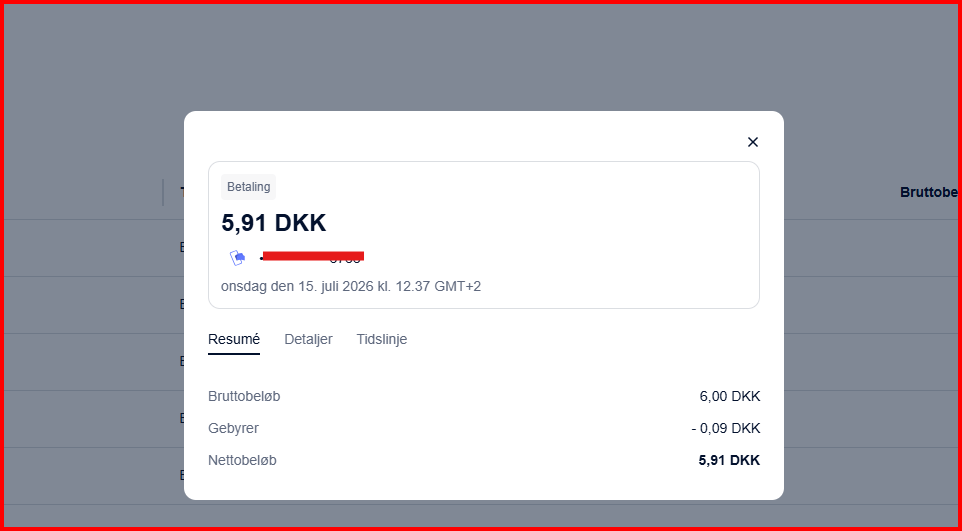
Click on a transaction in the transaction list to open a detailed view where you can see more about the selected payment, such as the full financial overview, including Gross Amount (the total amount before deductions), Fees (transaction costs), and Net Amount (the final amount credited to your account).
Scroll down to the Payouts section to get an overview of your payout history and see your upcoming payouts, where you'll be able to see everything that has been paid out to your bank.
If you click on a specific payout, you can see a detailed breakdown. Here you'll find information about collected funds, any refunds, adjustments, and the final net payout amount.
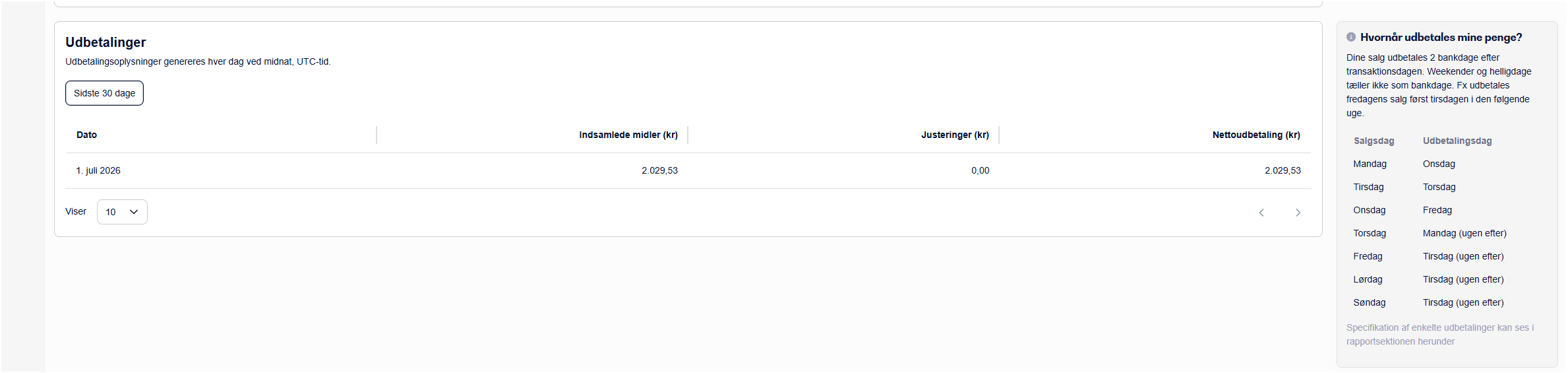
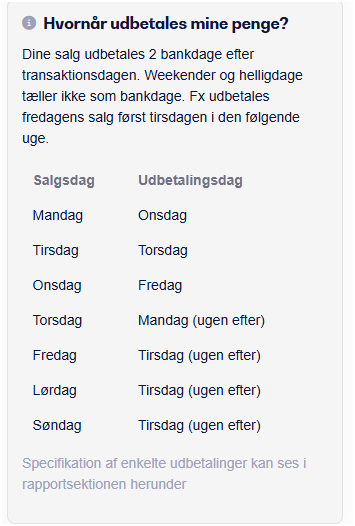
On the right side of the screen you'll find the "When will my money be paid out?" section. Here you can read about how payouts are processed based on transaction dates, so you always know when you can expect to receive your funds.