
If you sell goods with different VAT types, you can set these up under Settings, where you select the Products tab.
Here you can under VAT create your respective VAT type and insert which accounts you want to hit in the accounting.
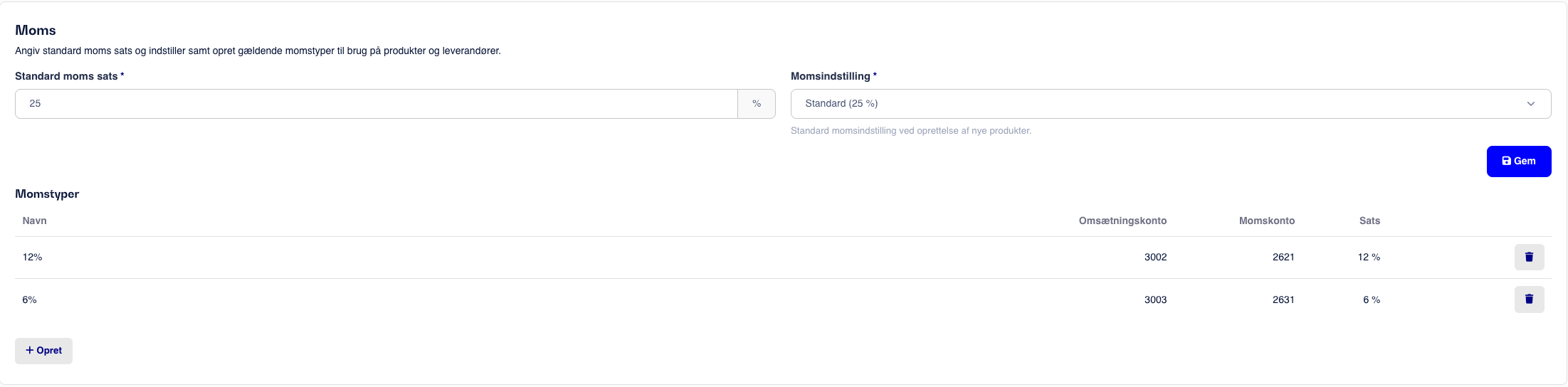
Once the VAT types that need to be used have been created, they can now be added to your products.
This is done by going to Products, search for the desired product or create a new one.
Under More Information you can now select the desired VAT type.
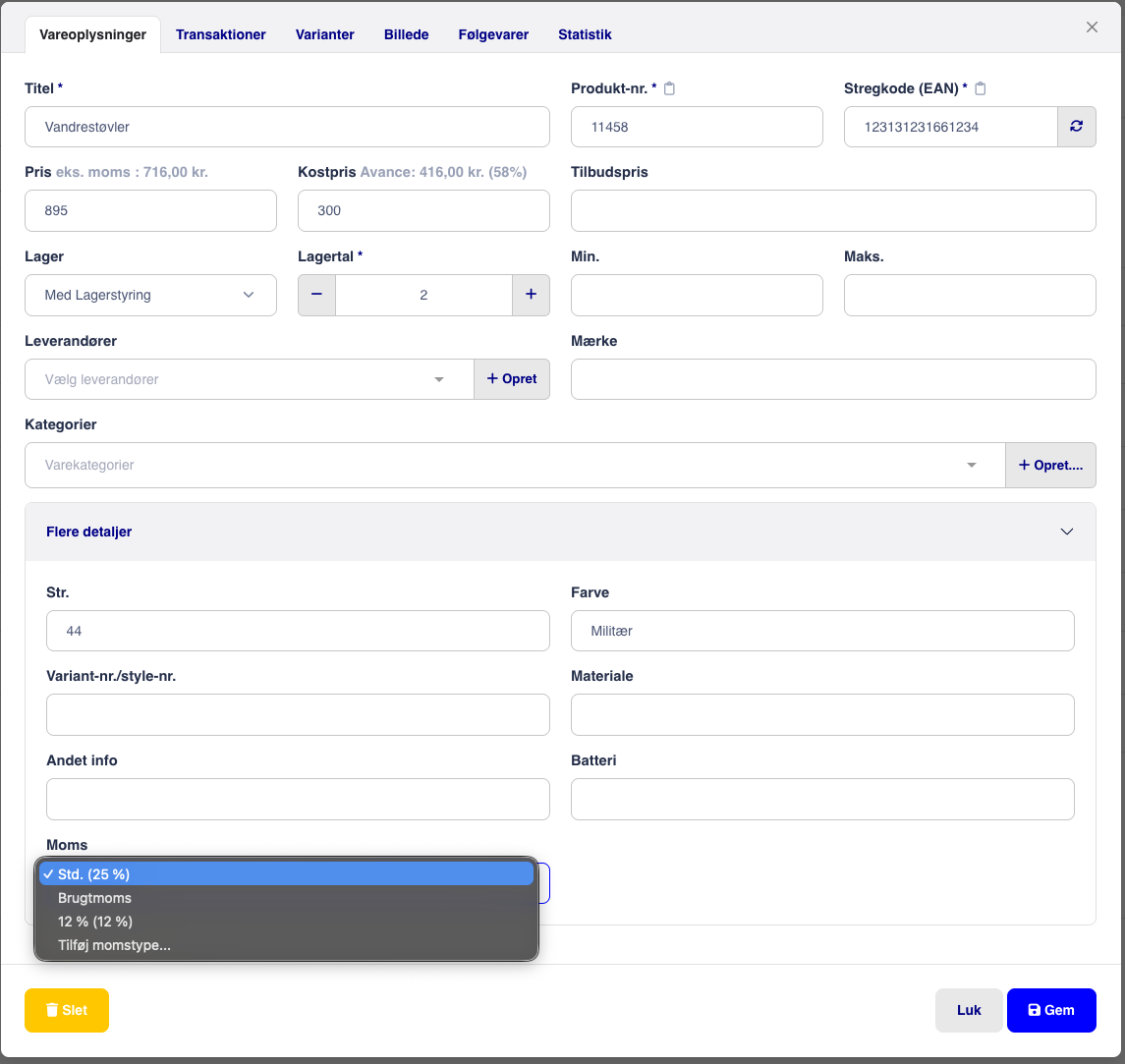
Select the desired VAT type and click Save.
From now on, the revenue on the product will be recorded as set in settings.