
If you want to change your Sender name, follow these steps:
Navigate to Settings
Go to the SMS and Email tab
Enter your desired Sender name
Then press Save
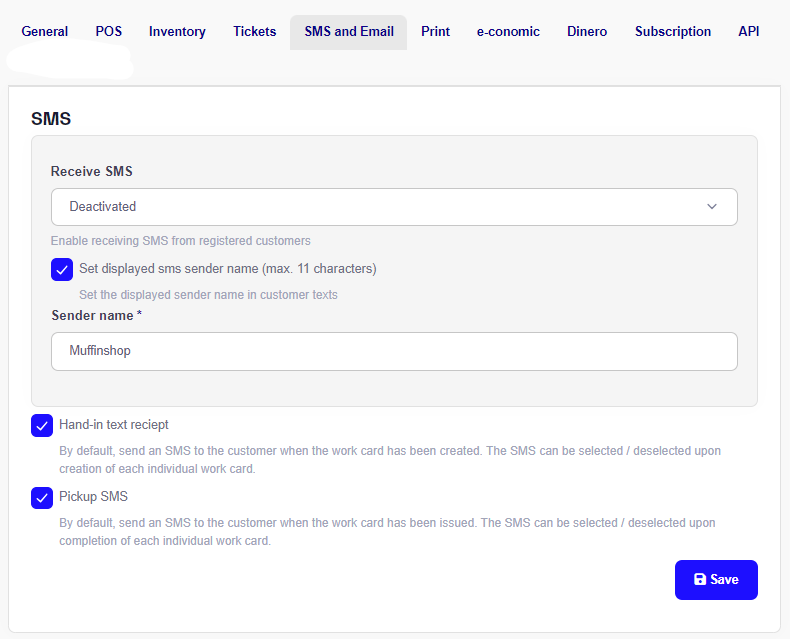
NB: the sender name can be a maximum of 11 characters and only contain A-Z and 0-9. It may take up to 24 hours for the change to take effect.
NB: You are only able to add or change your Sender name, if Receive SMS is deactivated.