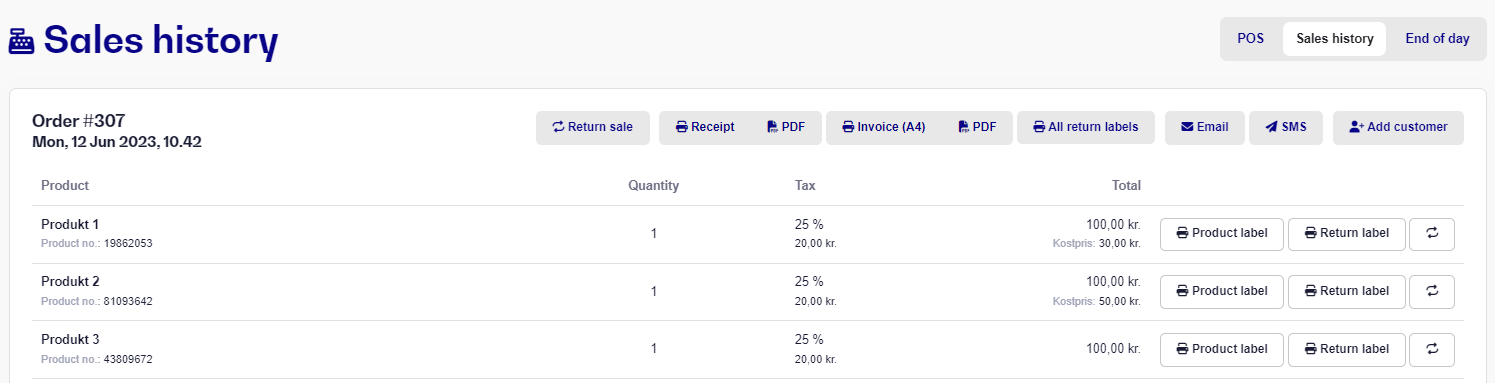
To print a receipt of a sale that has been made in the past, you can follow this guide:
Click on POS and go to Sales History
Here you can see all the sales you have made in the past. Find the specific sale you want. Click on the sale to open it.
Click on Receipt, to print out your receipt.
Click on Return label to print for a specific product
Click on All return labels to print for all the products on the entire sale