
Issuing of vouchers
In order to issue a voucher, the total sum of item lines in the box must be negative.
Then a button will appear in the bottom right corner that says Voucher.

Press on Voucher to issue the voucher, which is then added as a line item in the box.
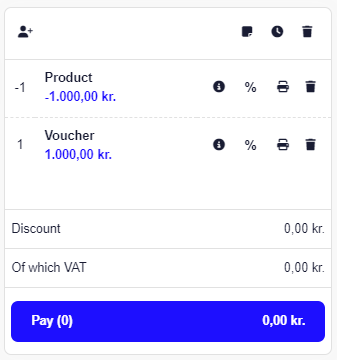
Then you press Pay and print out the voucher.
Please note that vouchers are first printed after the standard receipt has been printed.
All issued vouchers can be seen under Customers -> Giftcard etc.